
Who is an editor, or vendor?
Anyone can be an editor on the platform if they have the necessary skills, although editors in this context refer to editors in the marketplace who are freelance vendors or members of service providers.
Editors are those who offer their linguistic services to the platform’s customers. The editors are external mambers of a customer’s team.
How do you convert a user account into an editor account?
To become a vendor in Ailaysa, you only need to convert your ordinary user account to an editor account. At the moment, freelance vendors can apply for editor accounts.
It is completely free to join as a vendor, and they do not have to pay any monthly or annual subscription fees. They must, however, meet certain criteria in order to become an editor, and they must follow these steps to do so.
Fill the form first.
Essential information for editors
- On the left side menu, choose Settings, and click Editor settings.
- There are four sections; complete each one.
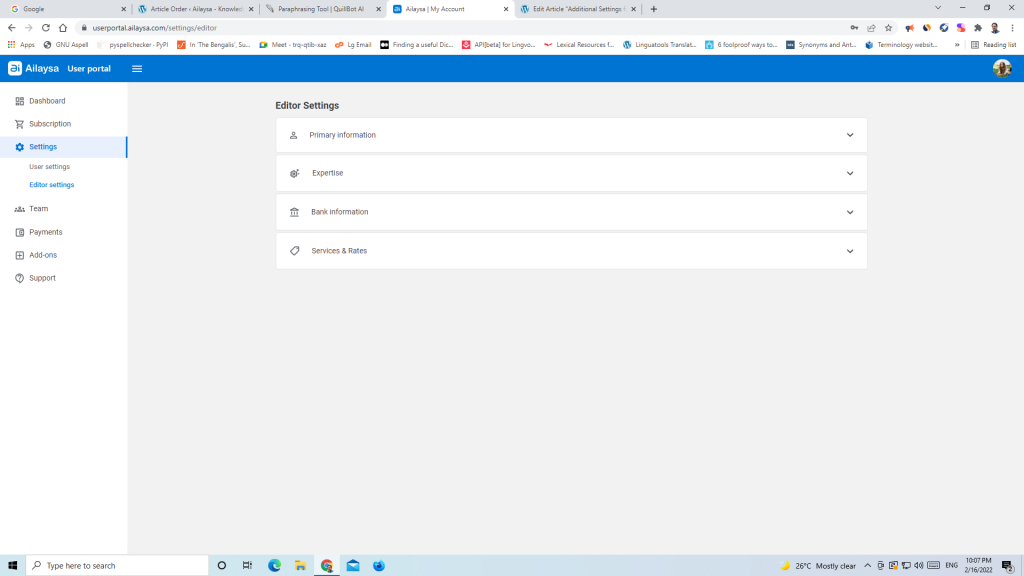
Primary information
- Legal category defines your business relationship with your customer. If you offer your services as an independent seller, choose freelancer.
- Choose the currency in which you will be billing your customers. Note: Your plans and purchases within Ailaysa, however, may not be available in your native currency. Our plans and add-ons are available in USD or a few other currencies.
- By including your native language, you boost your chances of being awarded projects in that language.
- Upload your curriculum vitae. Uploading your CV is required in order to apply for a FREE vendor membership. After you have finished the Editor settings page, our vendor onboarding specialists will review your application and contact you if additional information is required.
Expertise
- Choose all of the subject matters in which you are an expert.
- Select all content types that you have worked with before.
Bank Information
You will need these details ready when Ailaysa launches its payment gateway so you may accept payments from customers. Both customers and vendors must presently negotiate and organise their own payment methods.
Services & Rates
- This is the most important section on this form.
- To add your languages pairs, first select source and target languages, and the enter rates for MTPE and human translation.
- Check Apply to reverse to add the same rates for the reverse direction of the language pair.
- To quickly add more language pairs when the rates are not different, click the clone button, and edit.
- As you go, add, update, and delete services, as well as rates.